
Preview
See it before you paste
Preview a copied image, file, link or color without leaving your clipboard.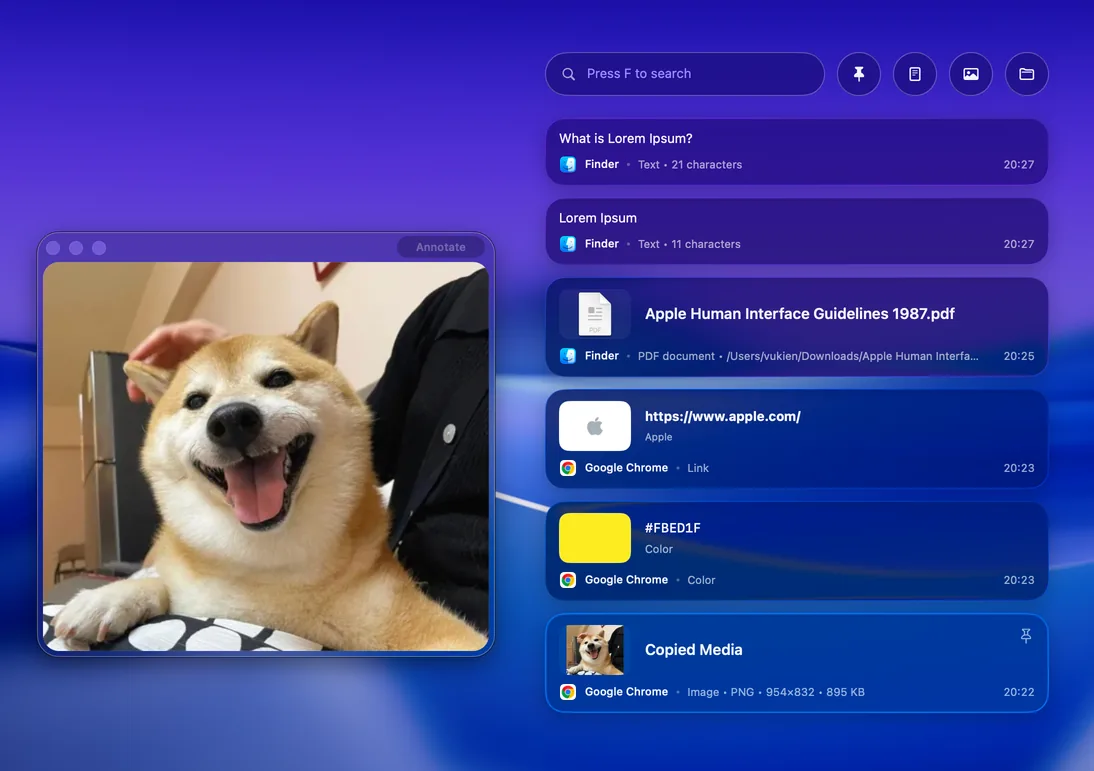

Clipboard history, screenshots, color picking, and more in your menu bar.
Download for freemacOS 15.2+ No account needed
Find what you copied. Paste it where you need it.
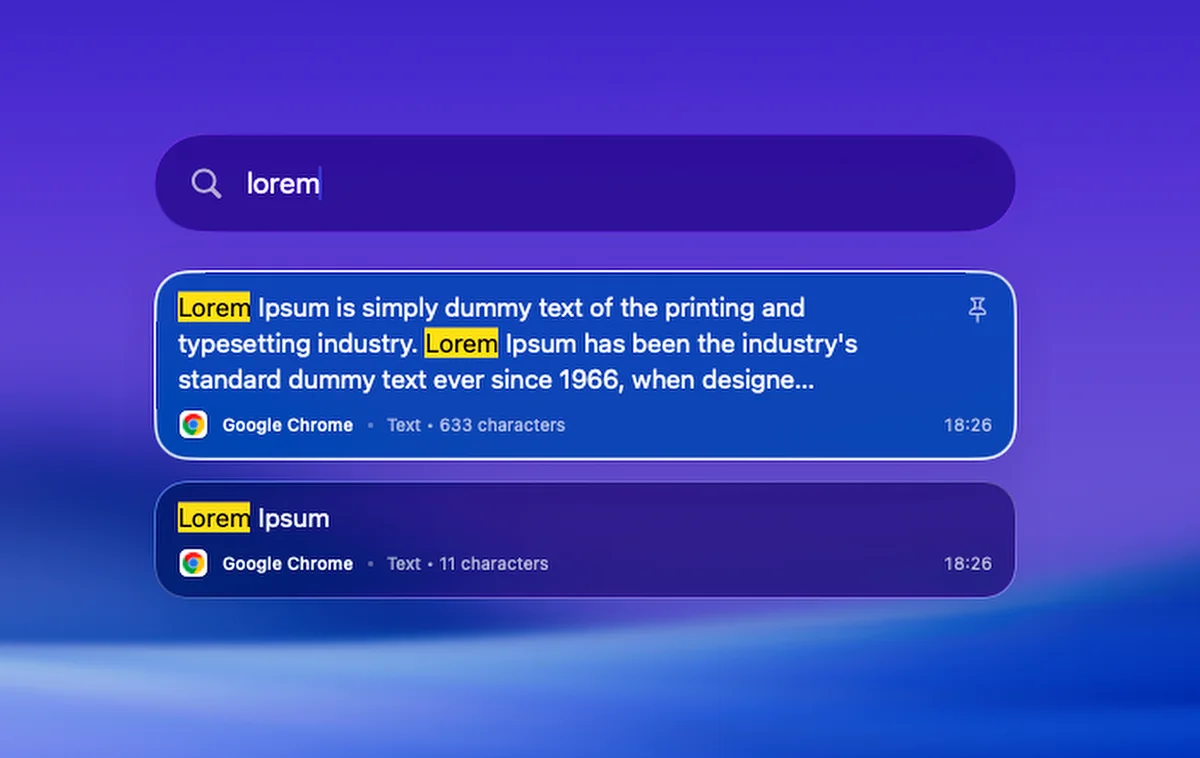
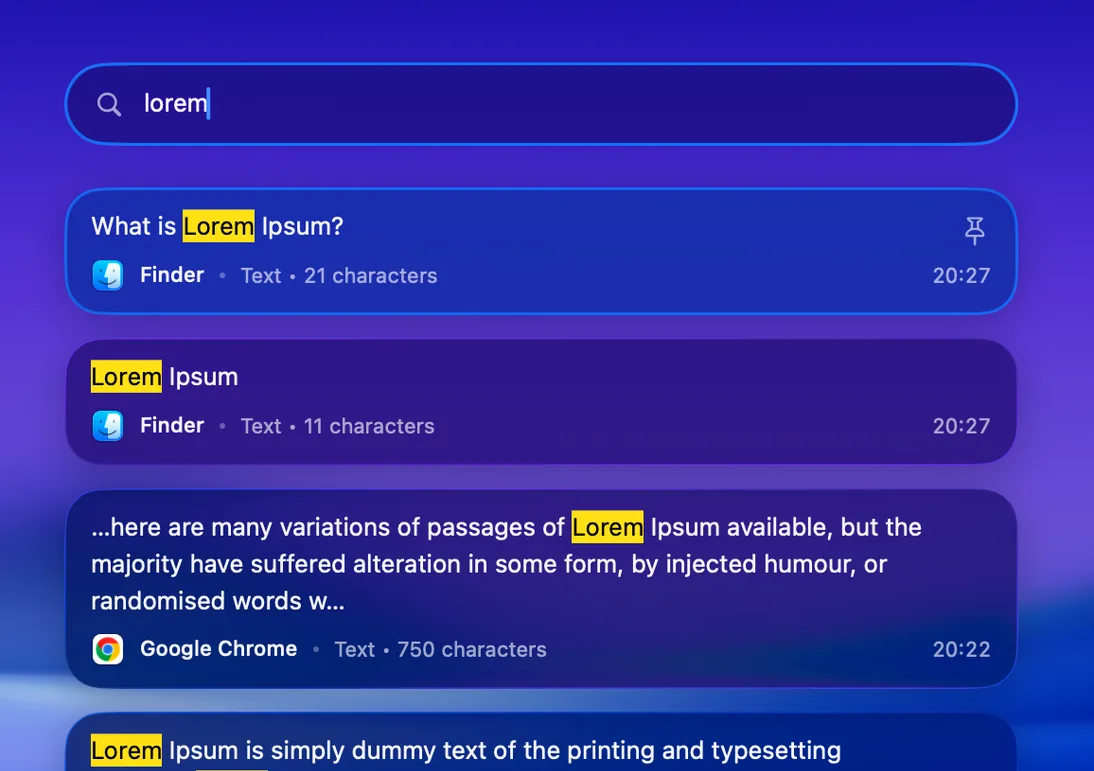
Search your history or filter by text, images and files.
Pin the snippets, links and colors you use often.
Paste straight into the app you were using.
Your clipboard stays on your Mac.
Preview
Search
Capture a region or your whole screen. Add an arrow, hide a detail, or open the full annotation editor.
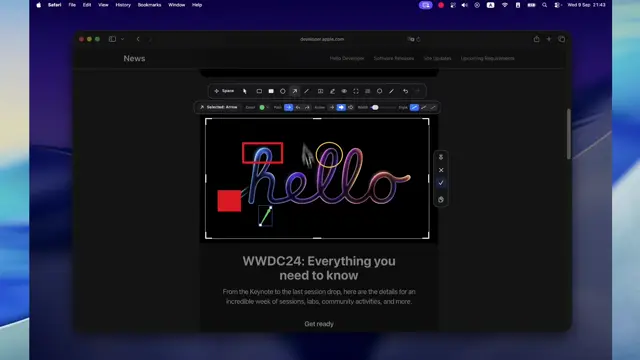
Capture what you need, then edit or extract it from the same menu.
Select exactly what you need.
Turn text on screen into text you can copy.
Open markup tools as soon as you capture.
Repeat your last selection with one shortcut.
Save a long page as one image.
Lift a subject from its background.
Tune the brightness of connected displays from the menu bar when the room gets dark.
Right there in the same menu.
Pick a pixel and copy its HEX, RGB or HSL value.
Lock the keys while you clean. Unlock when you’re done.
Keep your Mac awake during a download or presentation.
Start with the tools you use every day. Add more when you need it.
For everyday copying and capturing.
No account. No payment details.
More history. A few extra capture tools.
Pro is coming soon
Introductory price · 1 Mac · Annual license
DeskUtils requires macOS 15.2 or later. Check the release notes for the supported Macs before downloading.
Yes. DeskUtils includes clipboard history, screenshots with annotation, Color Picker, Clean Keyboard, Prevent Sleep and display dimming.
No DeskUtils account is needed.
No. Clipboard history stays on your Mac, and screen text recognition runs on device. Update checks and license activation use the network; they do not include clipboard content.
DeskUtils is distributed directly from the official website and GitHub Releases. Download the disk image, move the app to Applications and follow the installation guide.
Download, drag to Applications, and open DeskUtils.